 CertLens
CertLens
A passive certificate sensor for Chrome. Every certificate, key and chain your browser meets, inventoried locally. Network lookups are opt-in, and each one says what it sends and to whom.
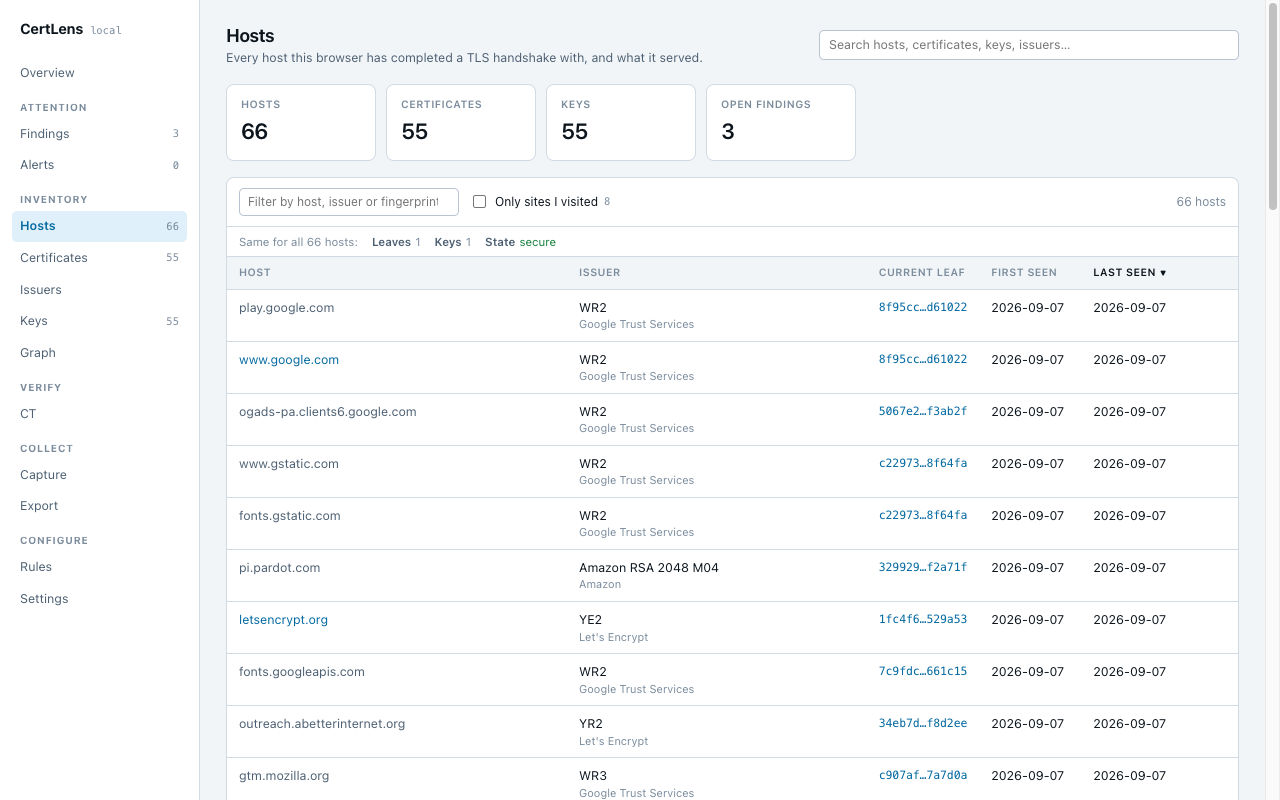
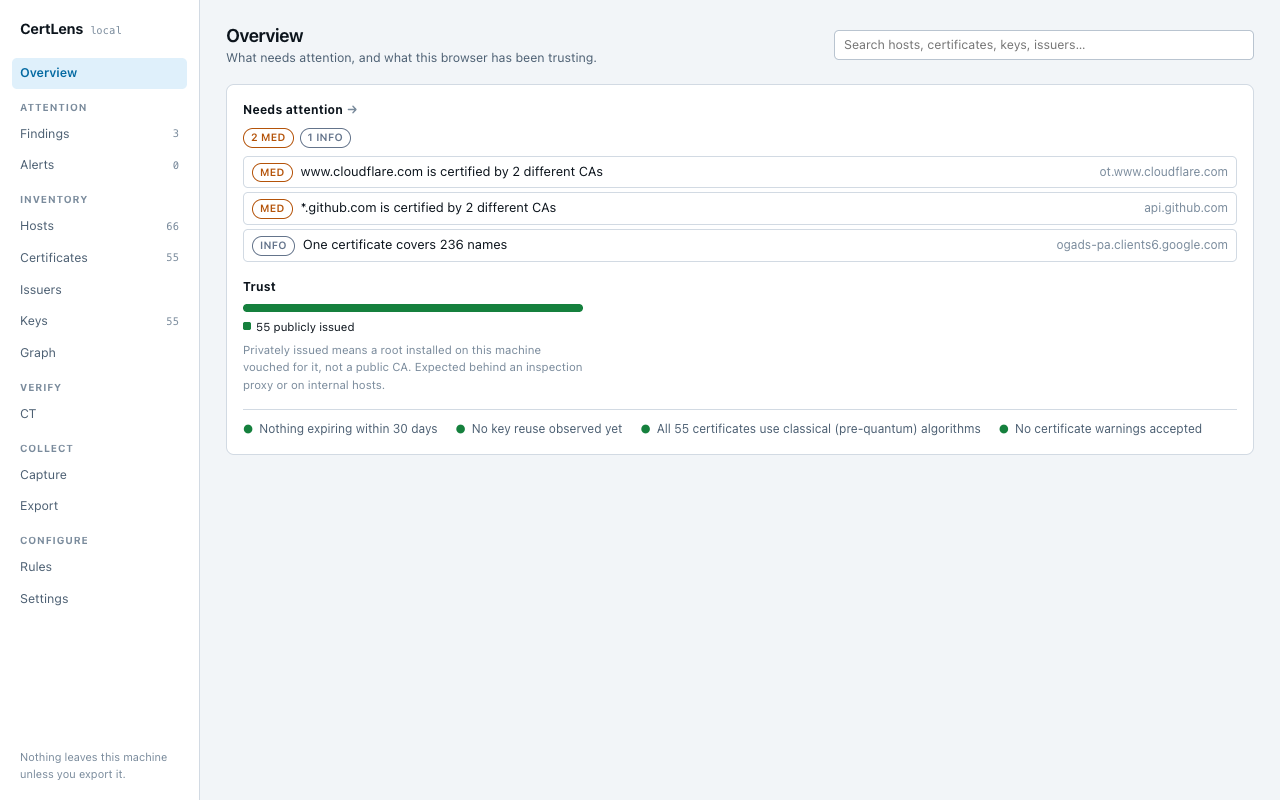
CertLens turns your browser into a passive TLS certificate sensor. Every HTTPS connection your browser makes shows it a certificate; CertLens keeps every one, and the public keys, issuers and hosts behind them, in a local inventory, and runs 43 rules over it.
What you get
- An inventory of hosts, certificates, public keys and issuers, with a graph of how they connect.
- Interception detection: a certificate on a public site issued by a CA installed on your machine is flagged, on the page itself before you type, and once for the network when one proxy re-signs many sites.
- Certificate Transparency: every embedded SCT verified locally against the public log list; optional crt.sh lookups.
- Post-quantum posture: which certificates and keys are quantum-safe, on two axes (key and signature).
- Key reuse, weak crypto, expiry, mis-issuance, chain and revocation checks, each with "when this is normal" and "what to do".
- Pin a host's CA and key, and optionally block the page if either changes.
- Sessions: record what is captured while one runs, carry a session to another browser, merge or delete.
- Export as JSON, CSV, PEM, PKCS#7 chain bundles, a ZIP of selected certificates, or a findings report in HTML or Markdown.
Privacy in one sentence
Nothing is sent anywhere unless you turn on a network feature, and each one says exactly what it sends and to whom. No account, no analytics, no telemetry. The full privacy policy is short and worth reading.
Setup, once
Chrome 144 or later. Chrome hands certificates to extensions only when its WebRequestSecurityInfo feature is on, and it ships off by default. Two clicks, once:
- Open
chrome://flags/#web-request-security-info(paste it into the address bar; links tochrome://pages do not open from a web page). - Set Enable SecurityInfo in WebRequest API to Enabled, then click Relaunch.
It persists across restarts. Until it is on, the inventory stays empty and CertLens says so: the dashboard opens on install with these steps, the popup repeats them, and the Capture tab reports the moment certificates arrive. On a managed browser there is no policy for this flag; launch Chrome with --enable-features=WebRequestSecurityInfo instead.
Install
CertLens on the Chrome Web Store. The listing is unlisted for now: this link reaches it, store search does not. After Add to Chrome, the dashboard opens with the setup step above.
Support
Something wrong, or a certificate CertLens misread? See support.